train · it adapts to you
The plan that rewrites itself on what you actually lifted.
You write it in one line, or the AI writes it for you. You run it with one thumb. And every logged session tells the next one how much to load: the numbers come from arithmetic, not from a model taking a guess.
iOS 15+ · Android 6+
the plan · 01
First of all, a plan.
You already have it in your head, you have it in your phone’s notes, or you don’t have one at all. Four doors, one plan at the end: editable line by line, whichever way you came in.
Compose it with taps
Pick the exercise, and sets, reps, load and rest move with steppers — 2.5 kg and 0:15 steps, as in the app. Want a superset? Pair another exercise and the block changes identity by itself.
the most intuitive way in: no grammar to learn
pair an exercise and watch the sheet change
Compose a block
step 1 of 12 exercises in the block
Superset
Technique
Sets
Reps
Load
steps of 2.5 kg
Rest
steps of 0:15
auto 2 Superset 3 Tri-set 4+ Circuit
exercises · each with its own load
Reps
Load
Reps 8 Load 62.5kg
Reps
Load
Reps 8 Load —kg
the group
Rounds
how many times you repeat the sequence
Rest between exercises
steps of 0:15
Rest after round
Write it the way you’d think it
One line: “bench 3x4 @100 RPE7 rest 2:00”. The app reads it and turns it into a real block, with sets, load, effort and rest in their place. And it reads every block back in that same sentence, so what you see in the plan is what you could type again.
nothing to fill in first: open the editor and write
try it here
the block that comes out
Panca piana
3×4 @ 100 kg RPE7 · rest 2:00
Paste it from your notes
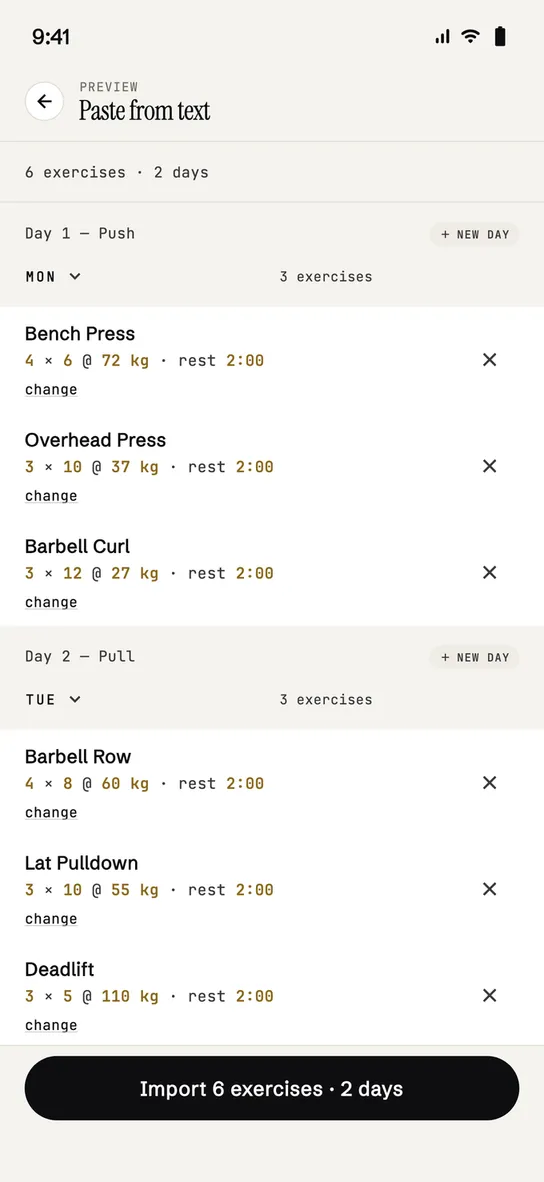
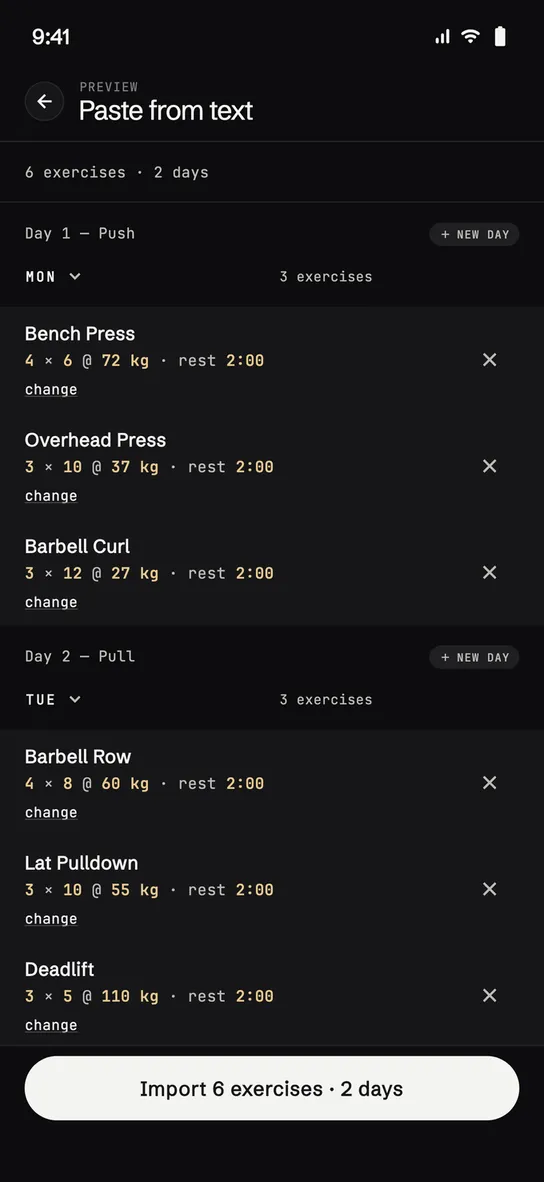
Got a plan written out, with days and lines? Paste it as it is. The app recognises “Monday”, “Day 2”, headings, exercises and prescriptions; it shows you a preview of what it understood and lets you fix the doubtful lines before importing.
one day or a whole week, in one go
Mondaybench 3x8 @80 rest 2:00row 4x10
Or let the AI write it
A few questions — experience, days, the equipment you actually have, your goal — and you end up with four weeks already written day by day, built on your case and not on a program that’s the same for everyone. It lands in the editor as if you had written it by hand.
one generation included · then it’s a plan like any other
while it writes
Building your plan
usually less than a minute
- Reading your profile
- Picking exercises for your equipment and injuries
- Building the week’s sessions
- Fine-tuning sets, loads and progression
From here on there’s no difference: weeks, days and blocks are edited the same way. Duplicate the week that worked and touch up the loads.
at the gym · 02
Then you run it, with one thumb.
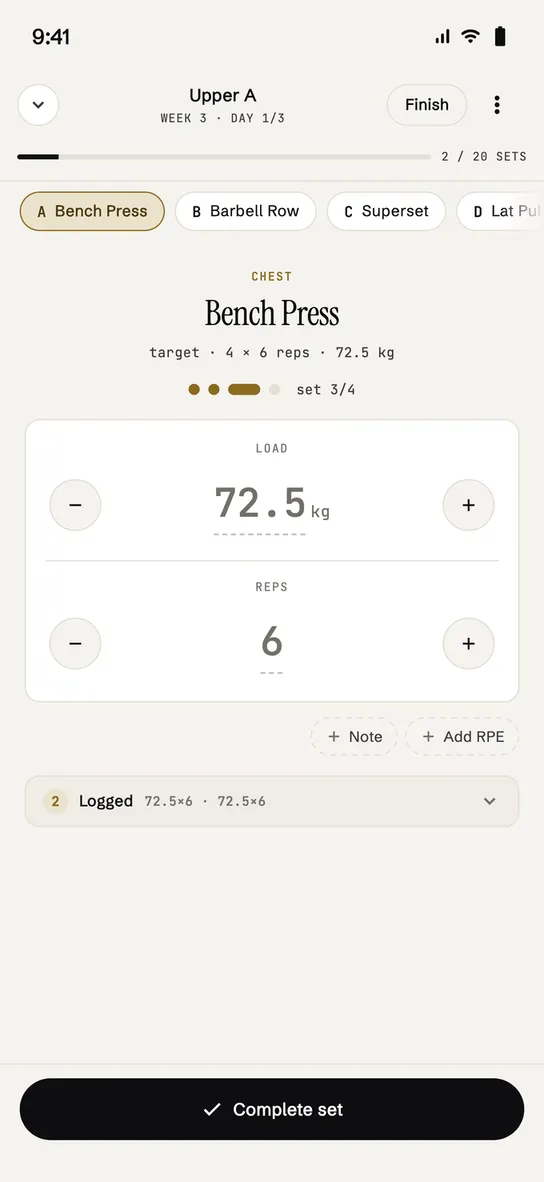
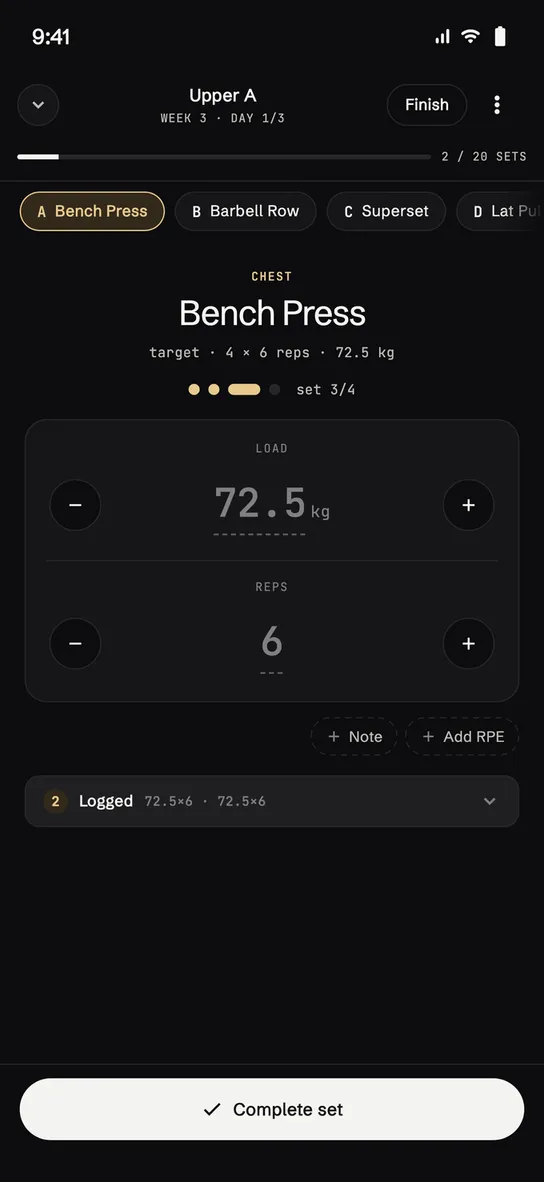
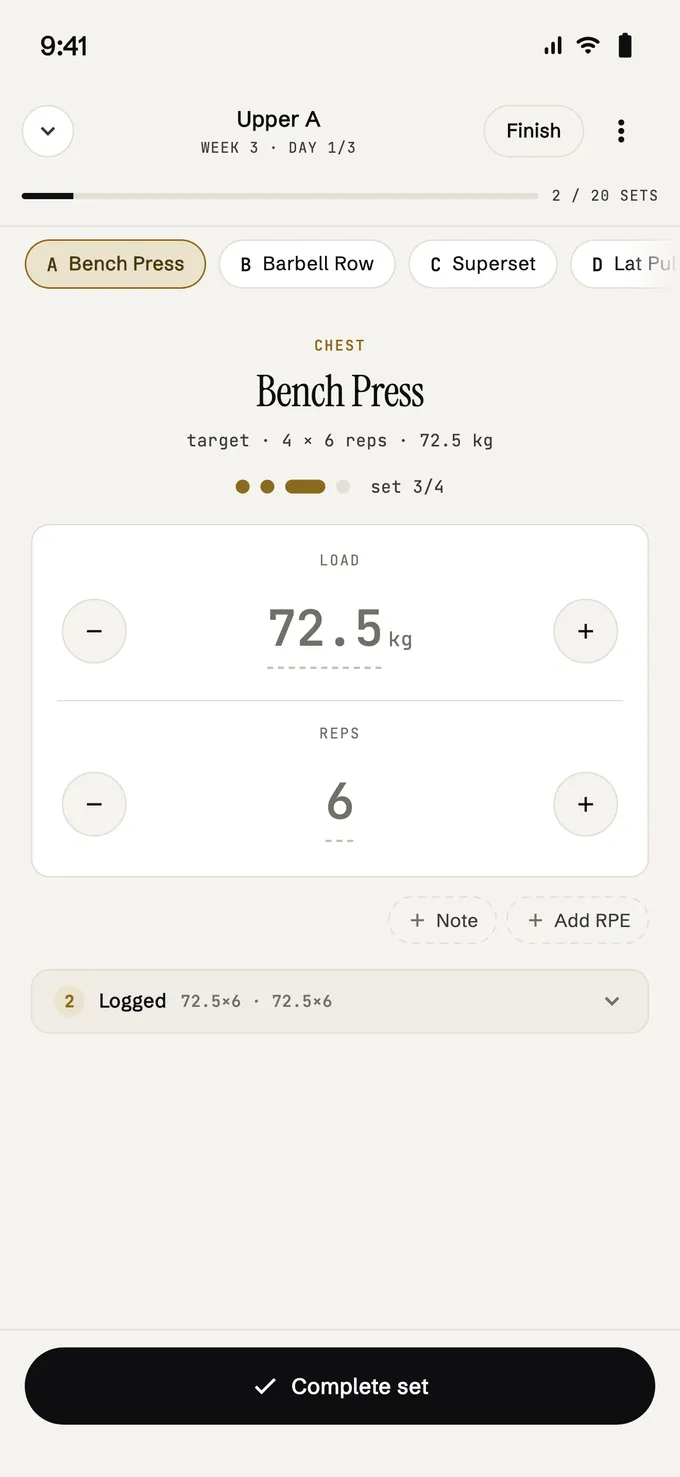
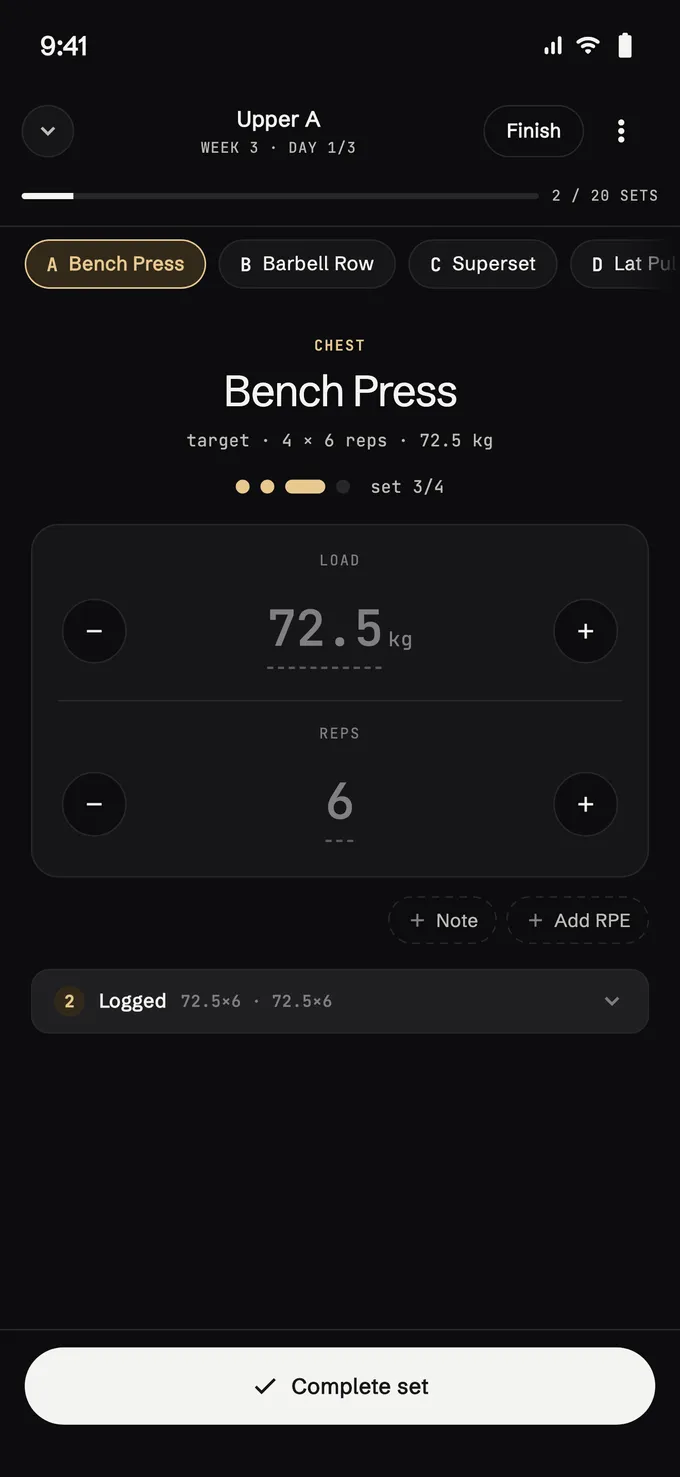
Under the bar you have one hand busy, ninety seconds of rest and a screen that locks itself. The player puts one set in the middle, big numbers, the controls where your thumb lands. Under the numbers is what you did last time: if that’s fine, the set closes with one tap.
- 01
One set at a time
The one you’re doing sits in the middle of the screen. The others stay one tap away on the block bar, without crowding you.
- 02
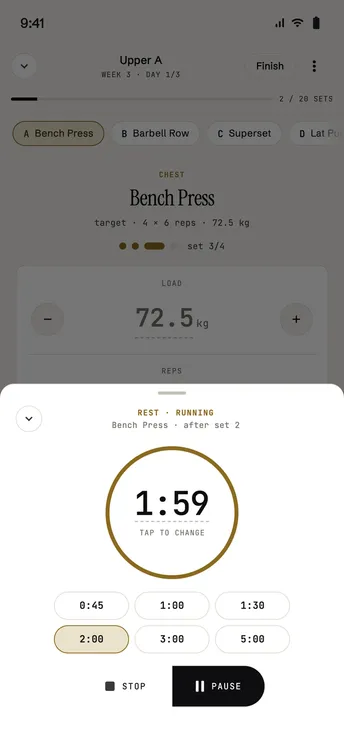
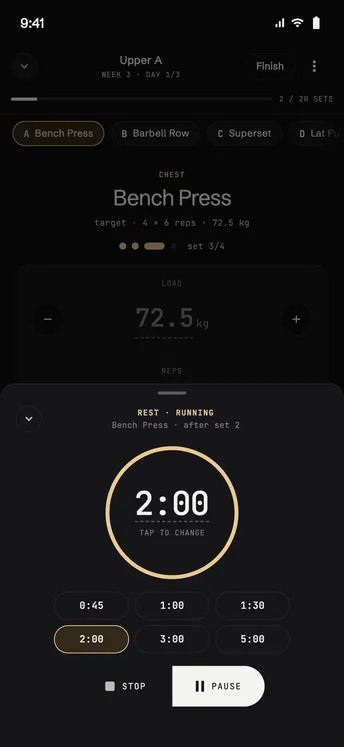
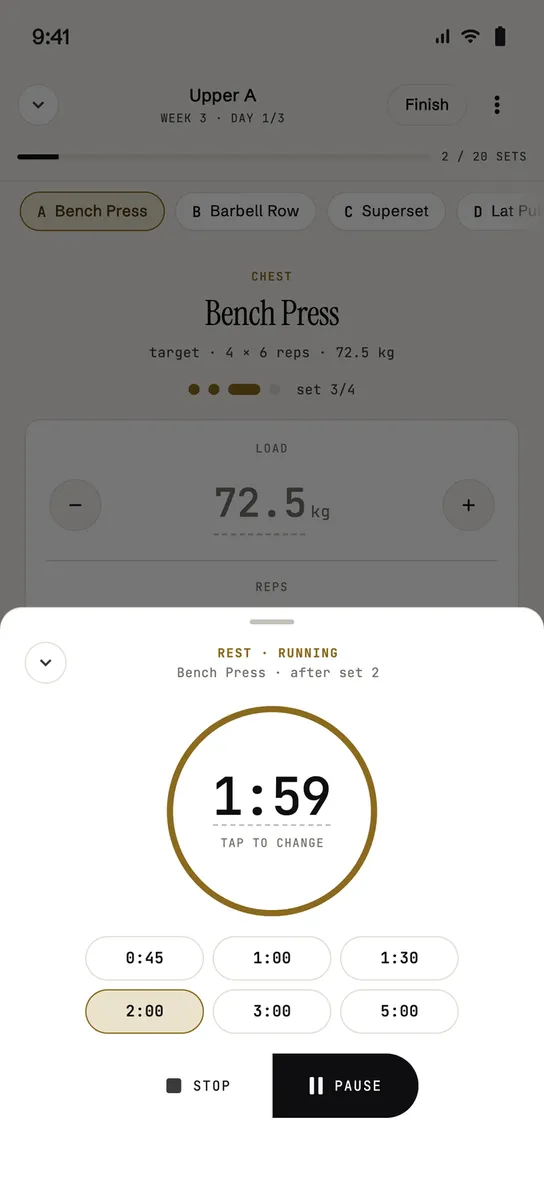
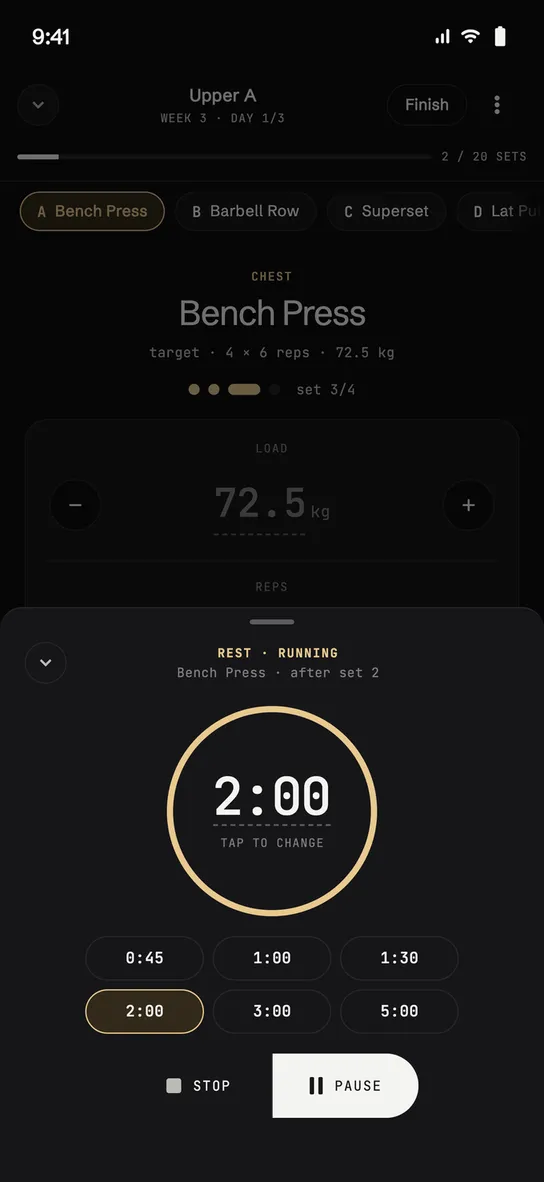
Rest, one tap away
Close the set and one tap on the pill starts the rest. Turn on “Automatic timer” in your profile and it starts by itself.
- 03
Even without a plan
Start from nothing: the clock runs and you pick exercises as you go, one after another. Afterwards you can save the session as a template.
progress · 03
And every session leaves a mark.
Everything you log can be read from three places, and none of them is a dashboard to decode: the diary, the trend over a period, and the program review when you close it.
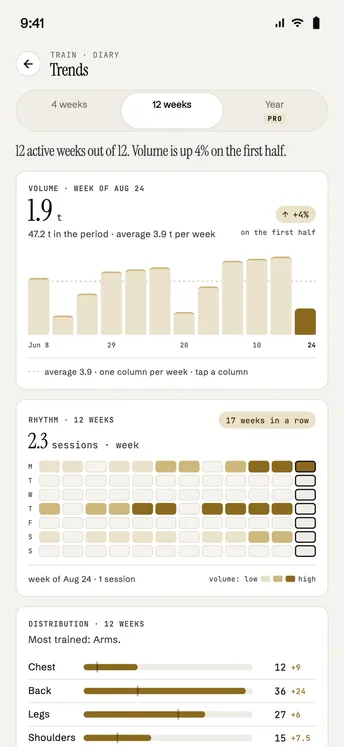
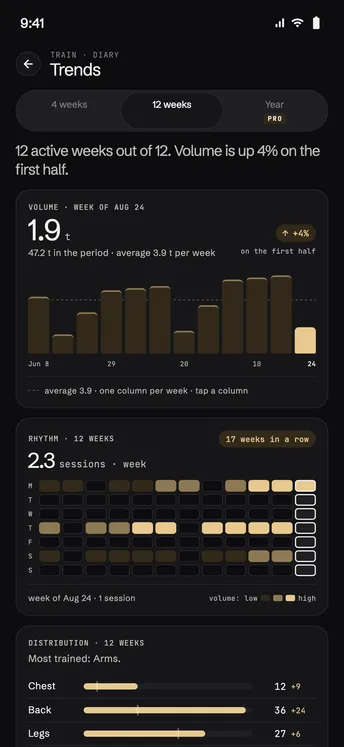
one column per week
-
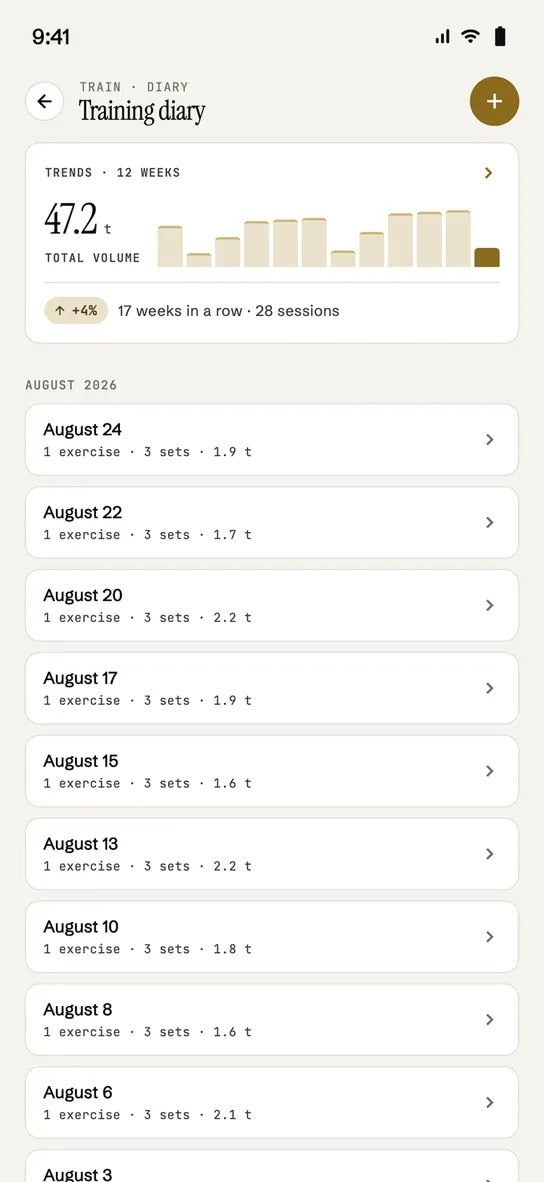
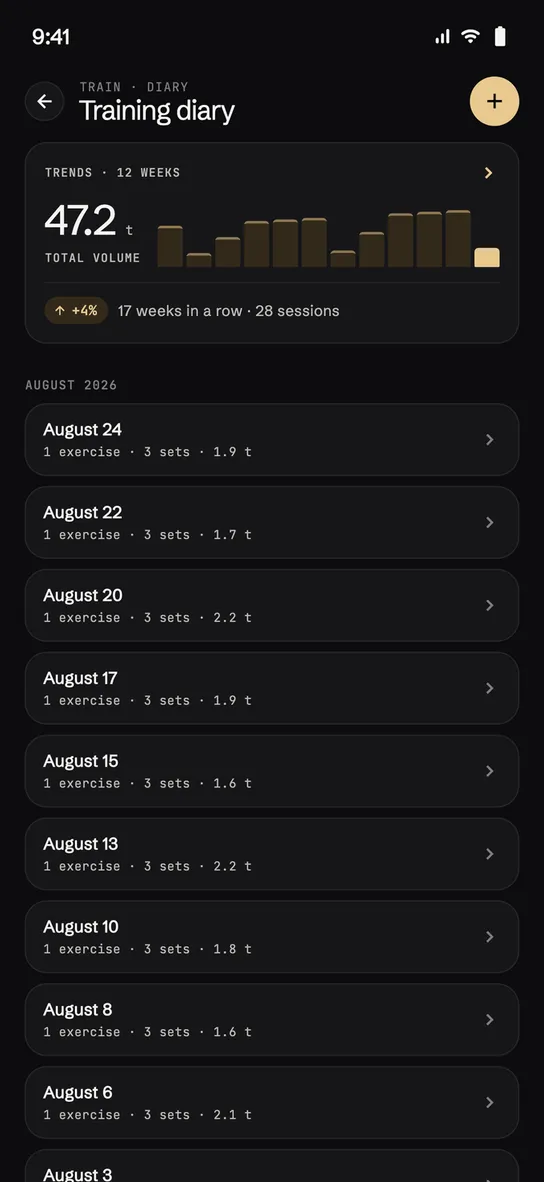
The diary
One card at the top: total volume and sessions over the last weeks. Below, the list of sessions, each with volume, sets, duration and a PR badge on the blocks where you beat a record.
-
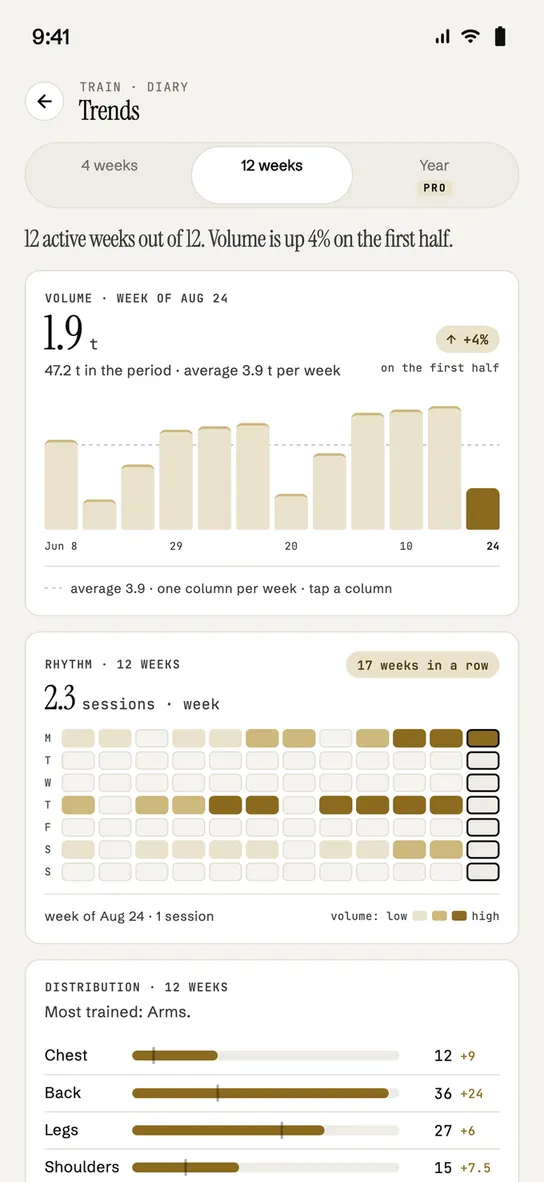
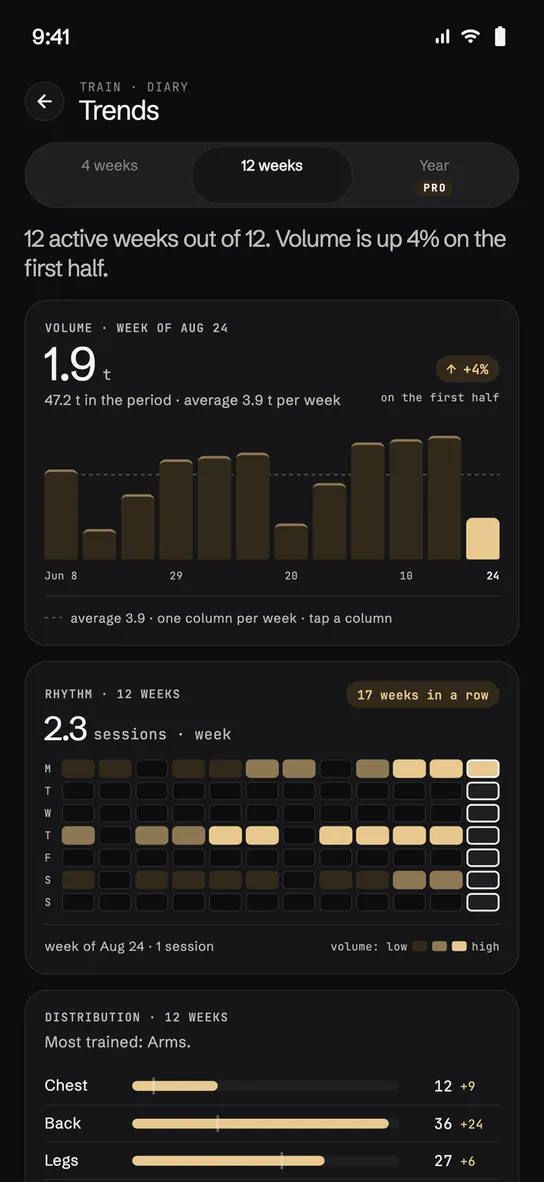
Trends
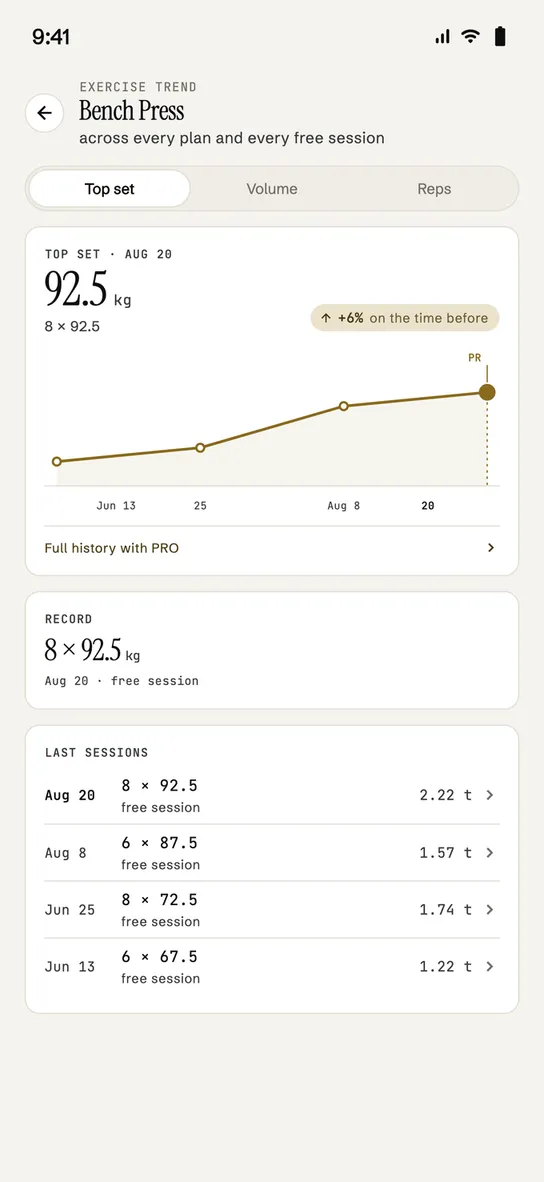
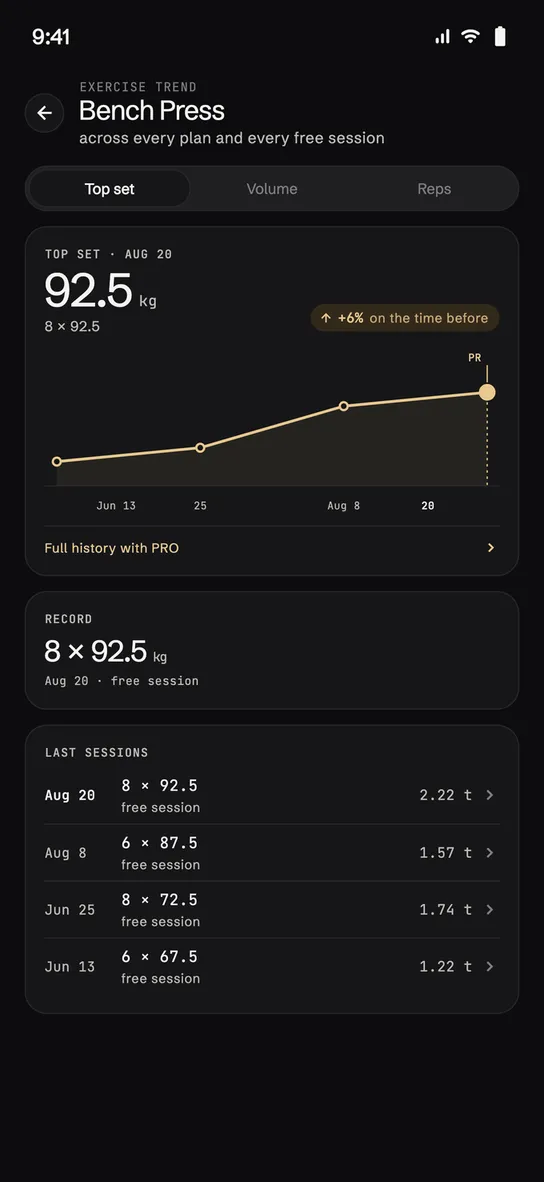
A period selector — 4 weeks, 12 weeks, year — drives everything: volume, rhythm (sessions per week), muscle distribution with the sign against the period before. Per exercise: best set, volume, working reps, with a flag on your all-time record.
-
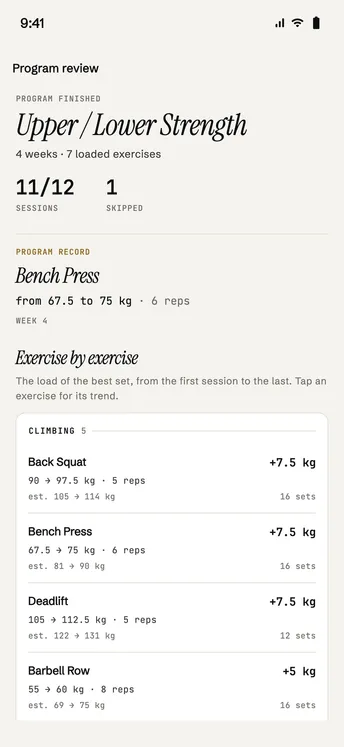
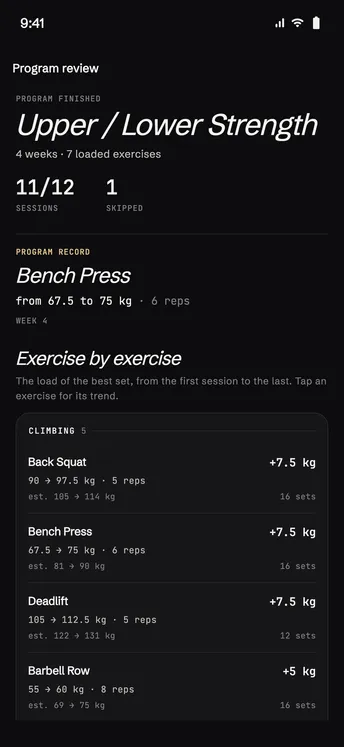
The program review
When you close a block: exercise by exercise, starting load → final load, grouped by direction (rising, steady, lower), the block’s record and adherence. No score: the counts are the summary.
And the mark doesn’t stay there. Inside the block, every logged session recalculates the loads of the ones after it. At the end of the block, regeneration reads up to twelve weeks of history and writes the new program on what you actually lifted.
The plan and the log are the same thing.
bench press · next session 100 → 102.5 kg
close-up · techniques
As advanced as your training
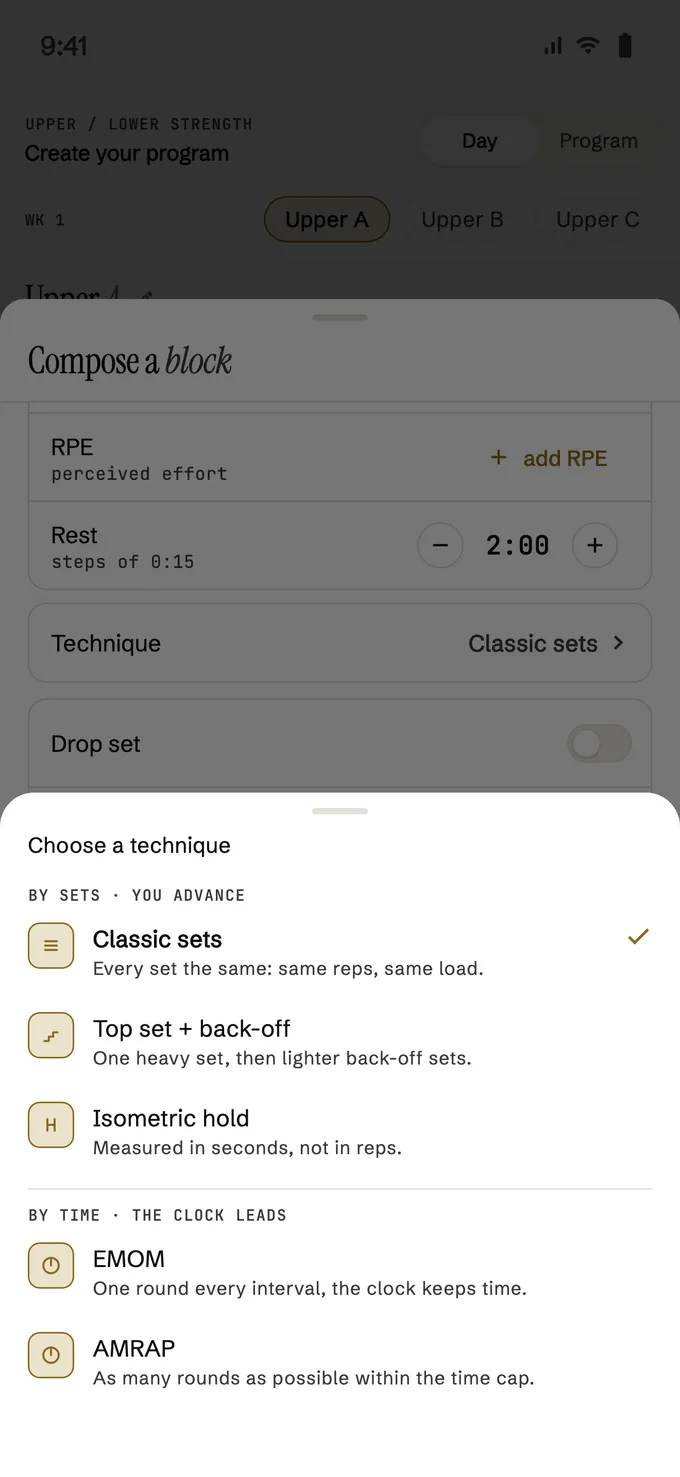
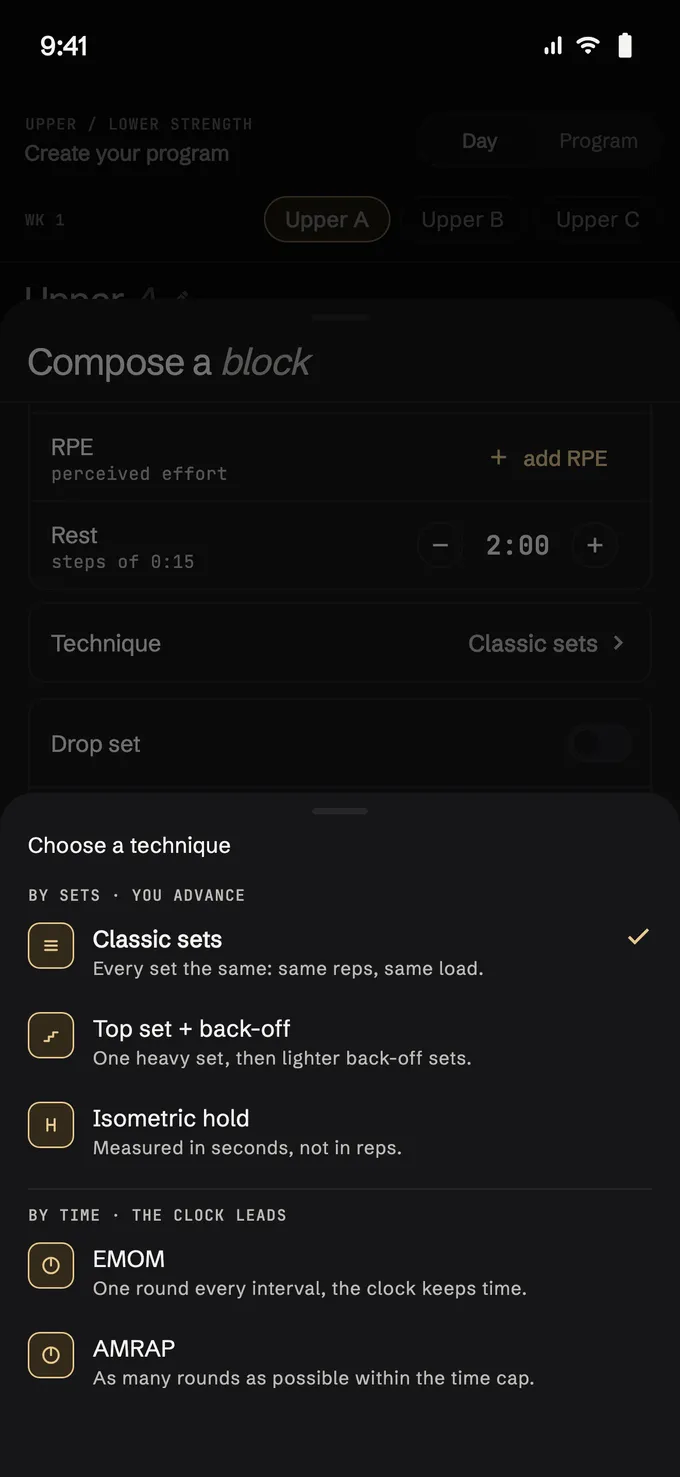
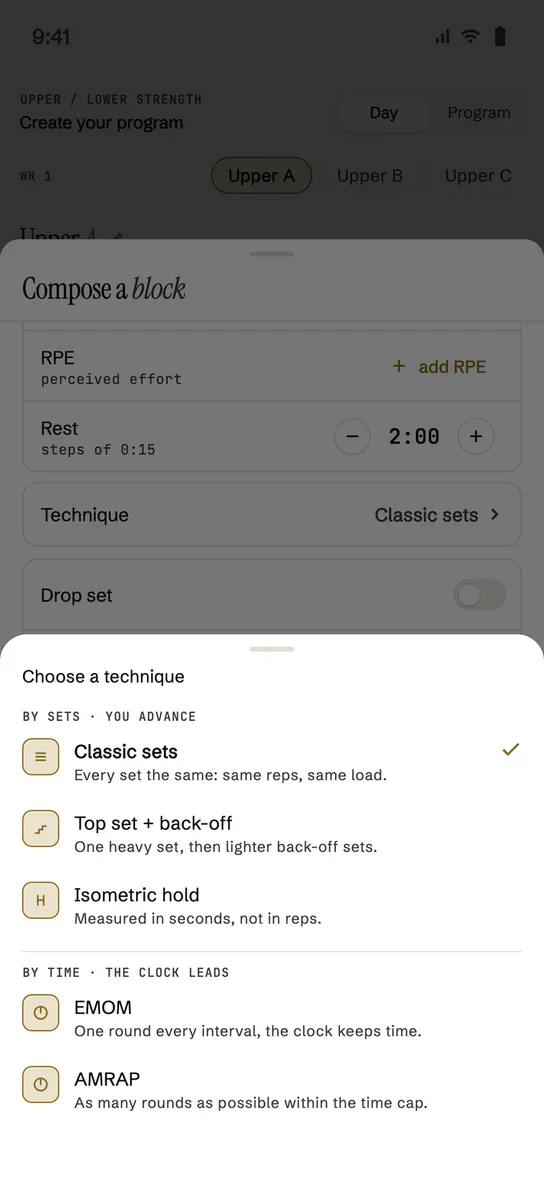
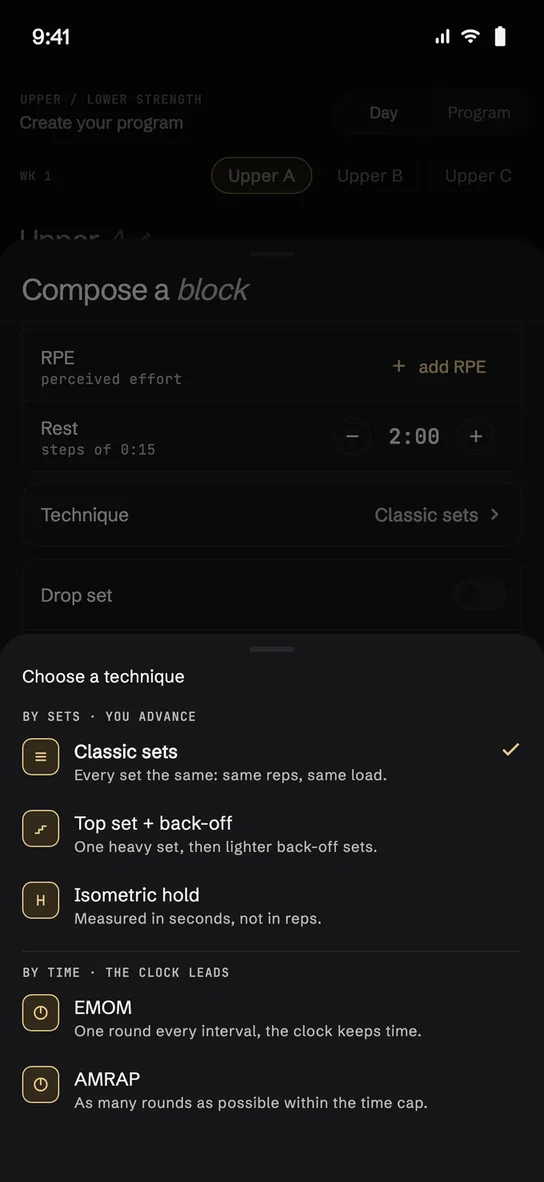
Containers and techniques aren’t exceptions handled reluctantly at the bottom of a menu. The container is decided by how many exercises you put together; the intensity technique applies on top of the sets the block already has.
containers · decided by the number of exercises
shape of the block
intensity · on top of the sets
timed
-
A block is a relationship
You don’t pick a type from a list: put two exercises together and it becomes a superset, three and it becomes a tri-set, four or more and it becomes a circuit. The app works the type out from how you composed them, and there’s nothing to tap.
-
Intensity sits on top of the sets
Drop set and rest-pause — with myo-reps as a preset of the rest-pause values — apply to the block you’ve already written: to every set, or to the last one only.
-
And then it actually runs it
Inside the round the button turns into «Next» and takes you to the following exercise. The two rests stay distinct: the one between exercises, often 0:00, and the one at the end of the round.
close-up · at the gym
The details you feel under the bar.
Four small choices, tested with sweaty hands.
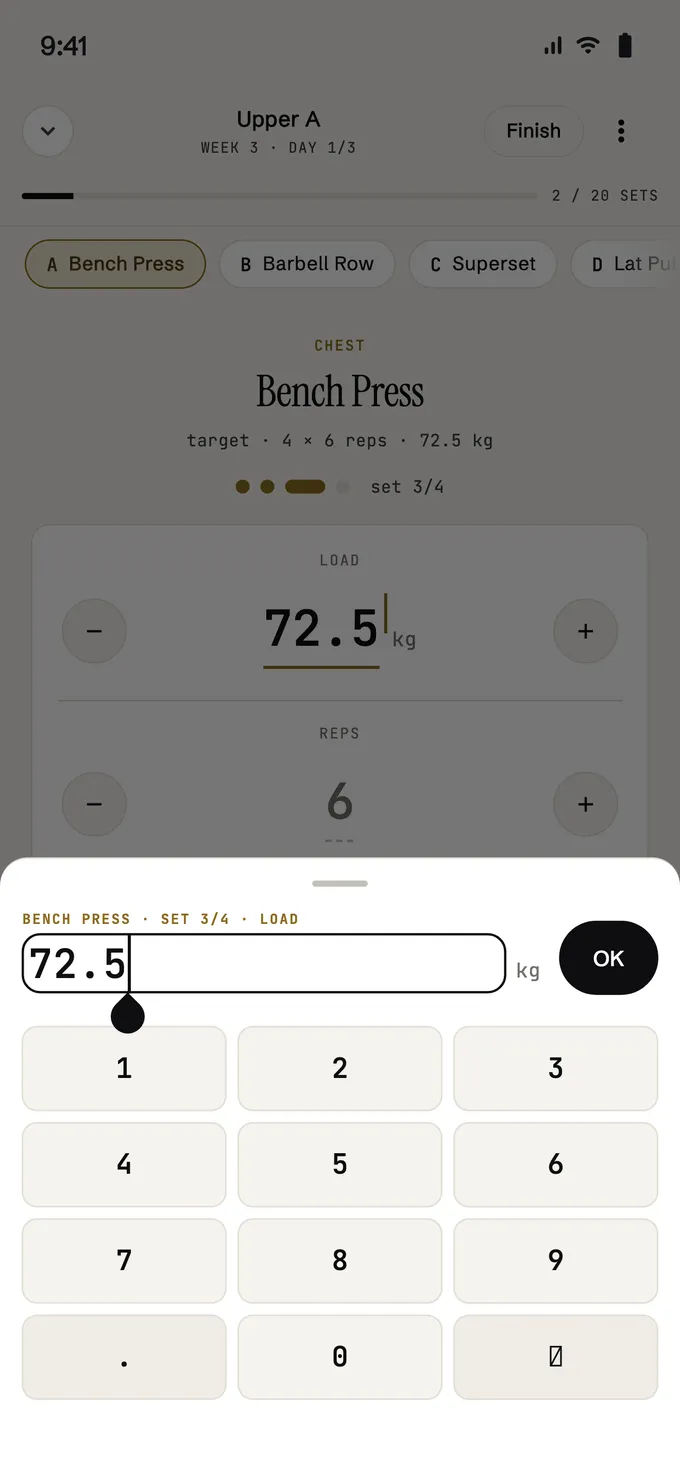
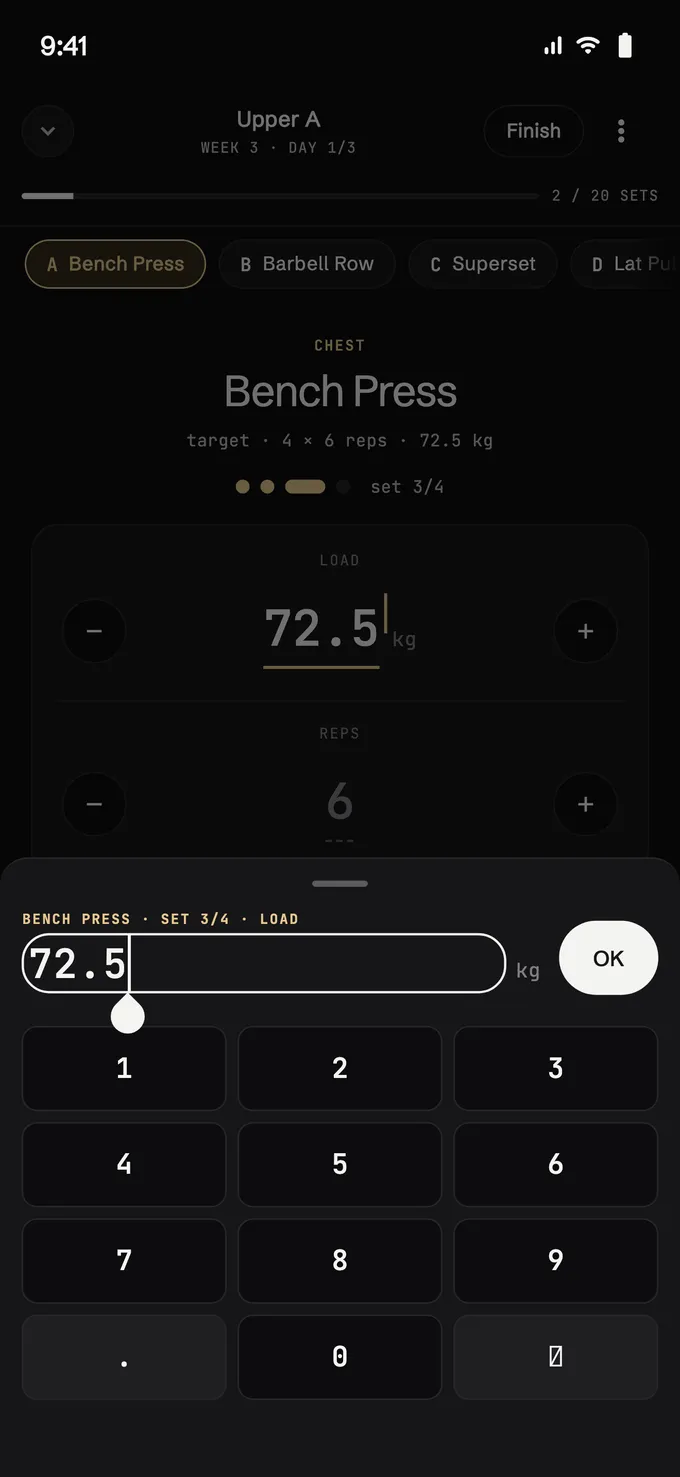
-
No keyboard
Load, reps and RPE move with big steppers. The keypad appears only if you call it.
-
«Last time»
Under the numbers is what you did the time before. If that’s fine as it is, the set closes with a single tap.
-
The rest lets you know
Rest presets one tap away and, if you leave the app, a notification when the rest ends. The timer doesn’t ask you to watch it.
-
Mid-session too
In a free session you add an exercise while you train and pair it with the others, without losing the place you were at.
screens
Everything you’ll see
scroll →
-
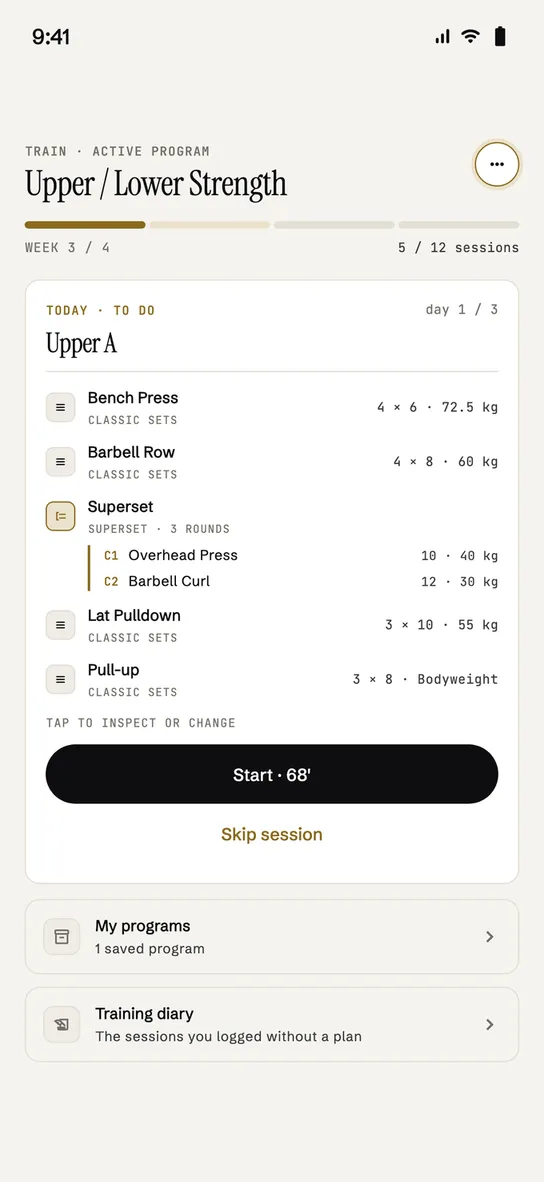
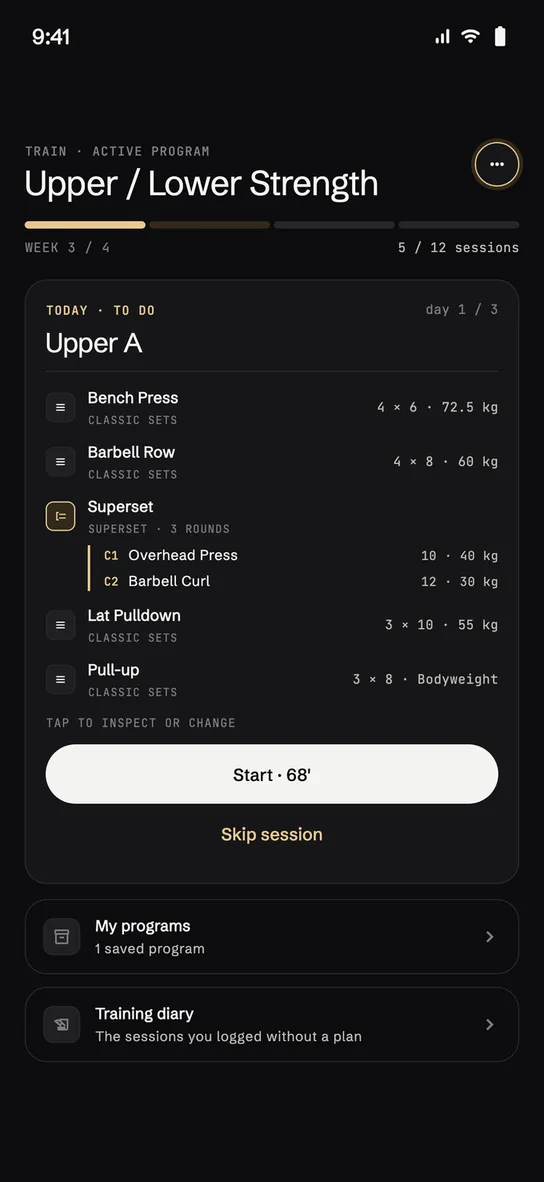
Where you start
-
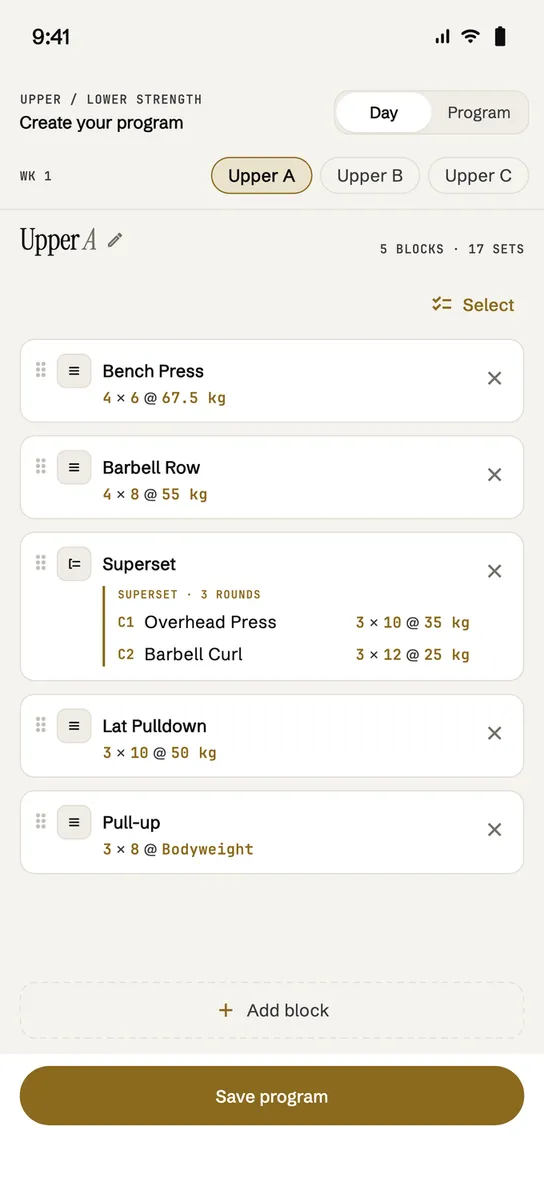
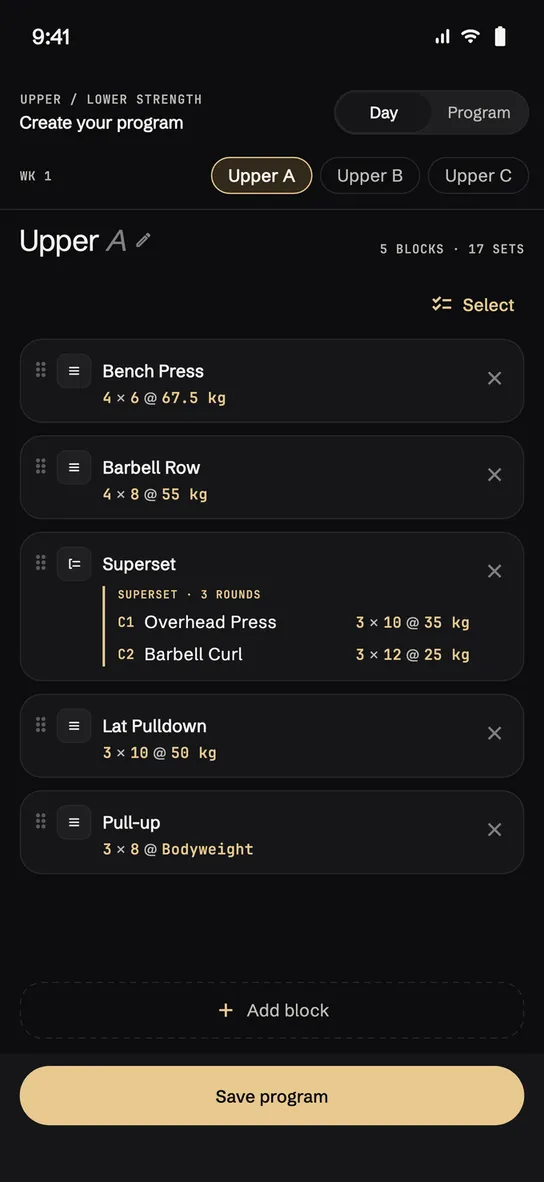
The plan by days
-
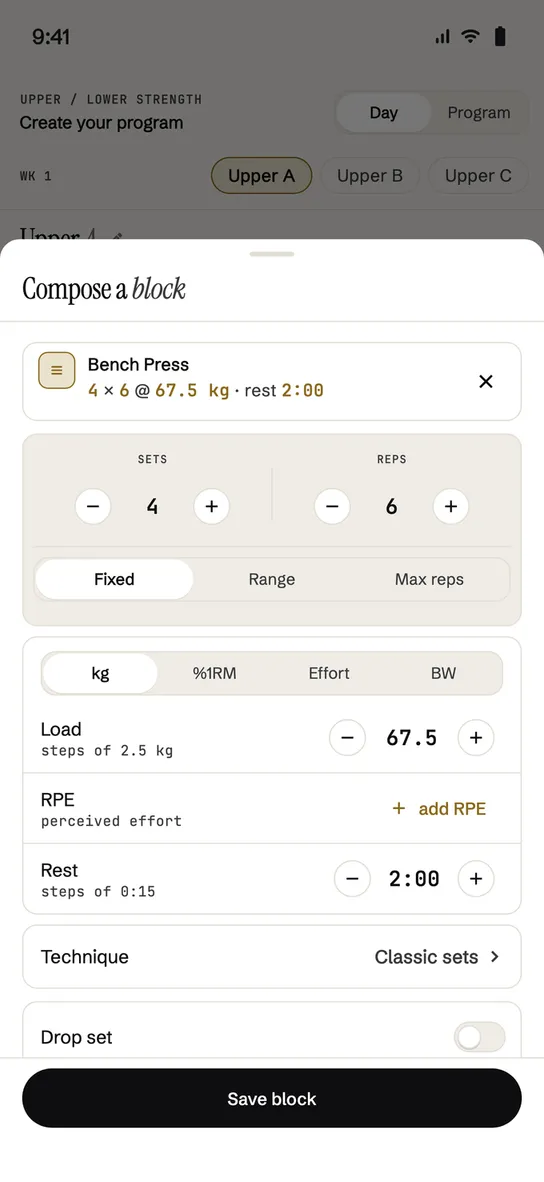
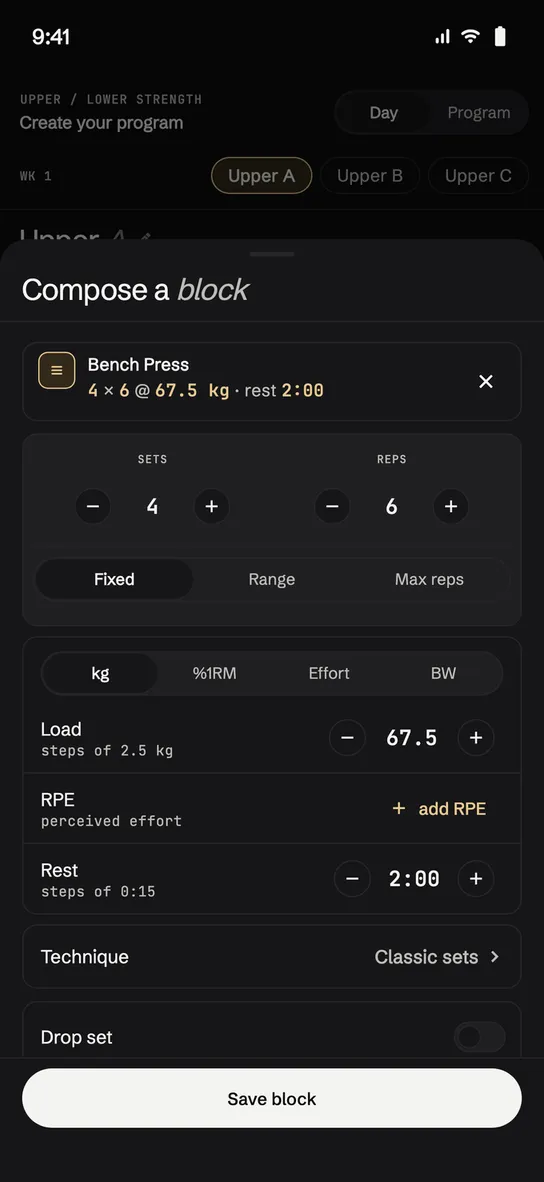
Compose a block
-
Techniques
-
Paste from notes
-
The set in progress
-
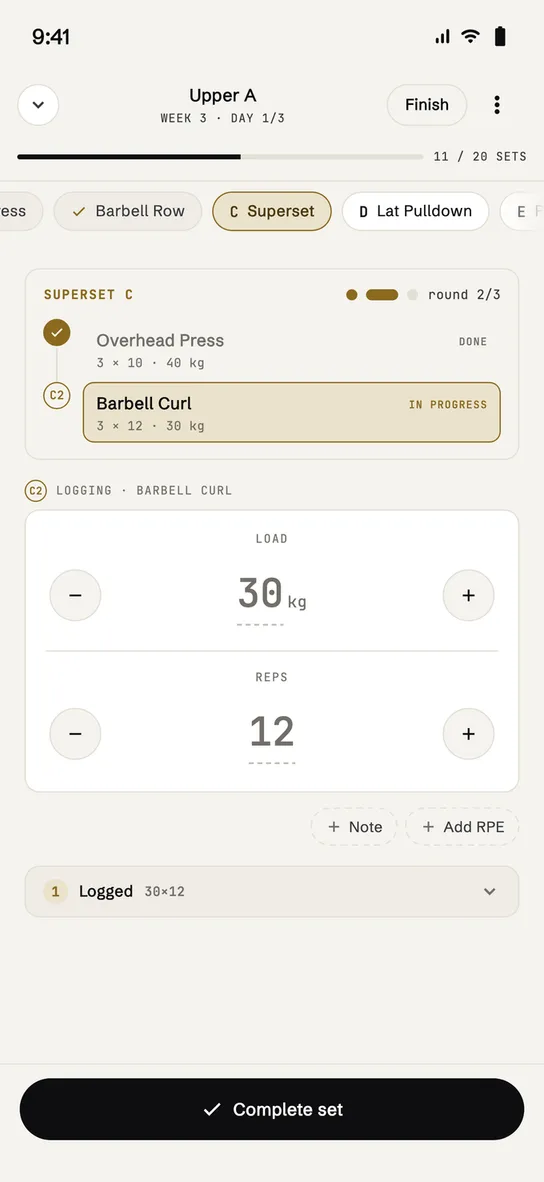
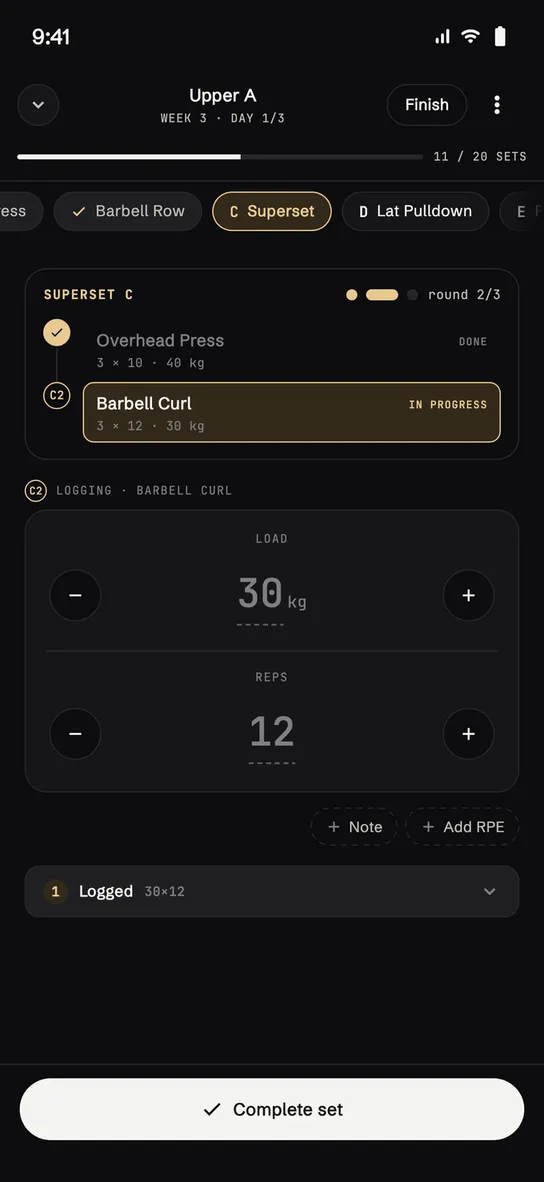
Superset in session
-
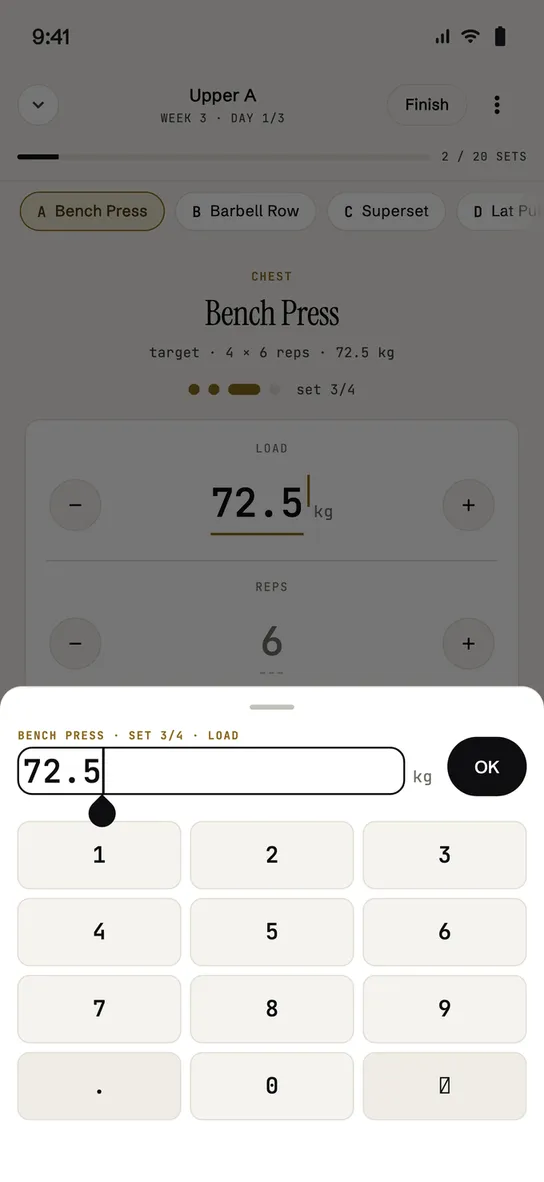
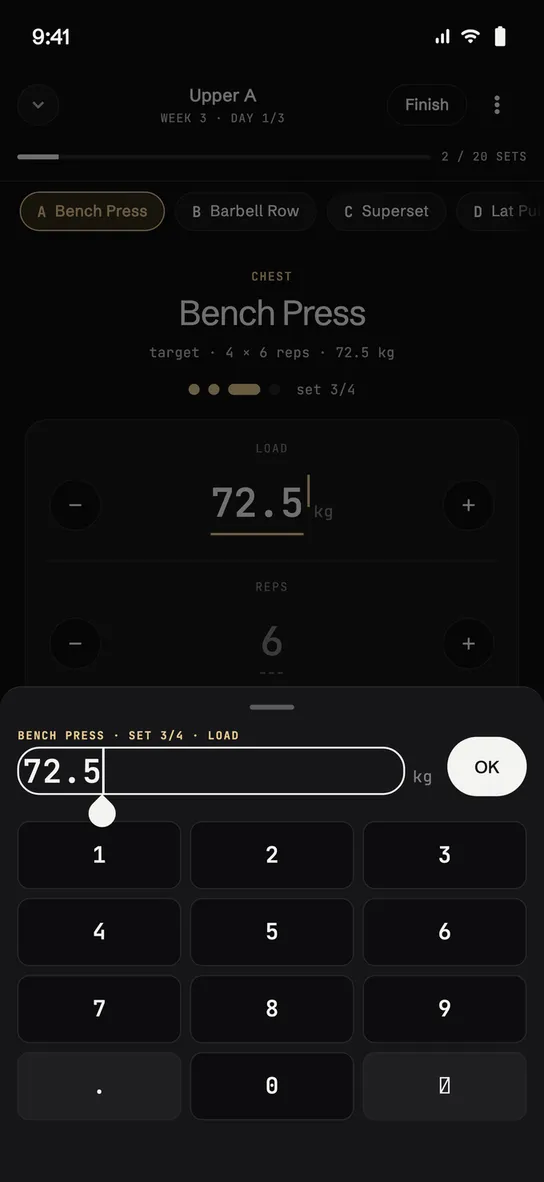
Keypad
-
Rest
-
Training diary
-
Trends
-
Trend per exercise
-
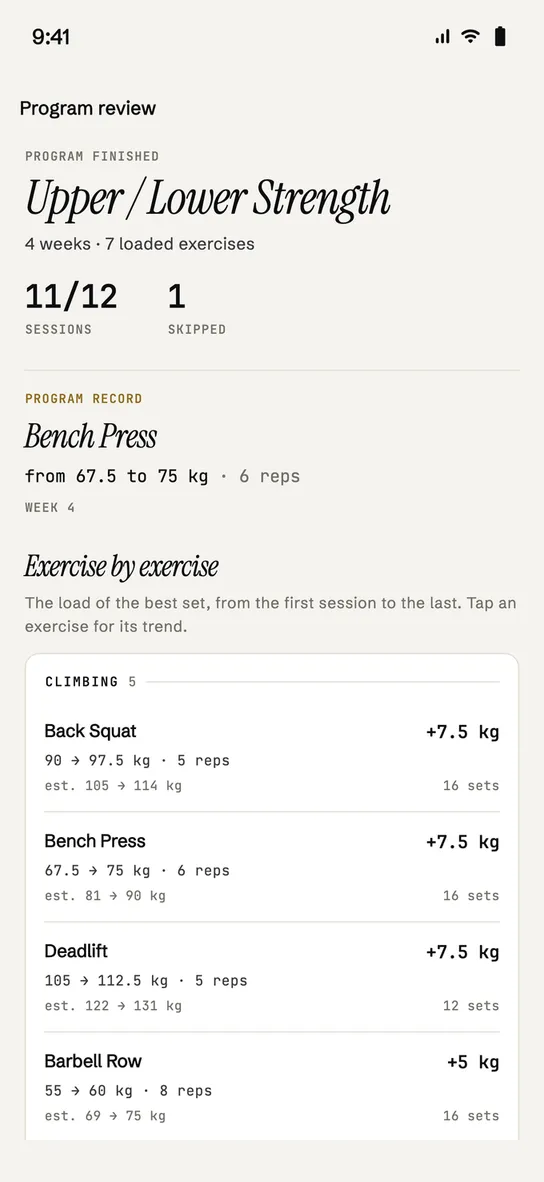
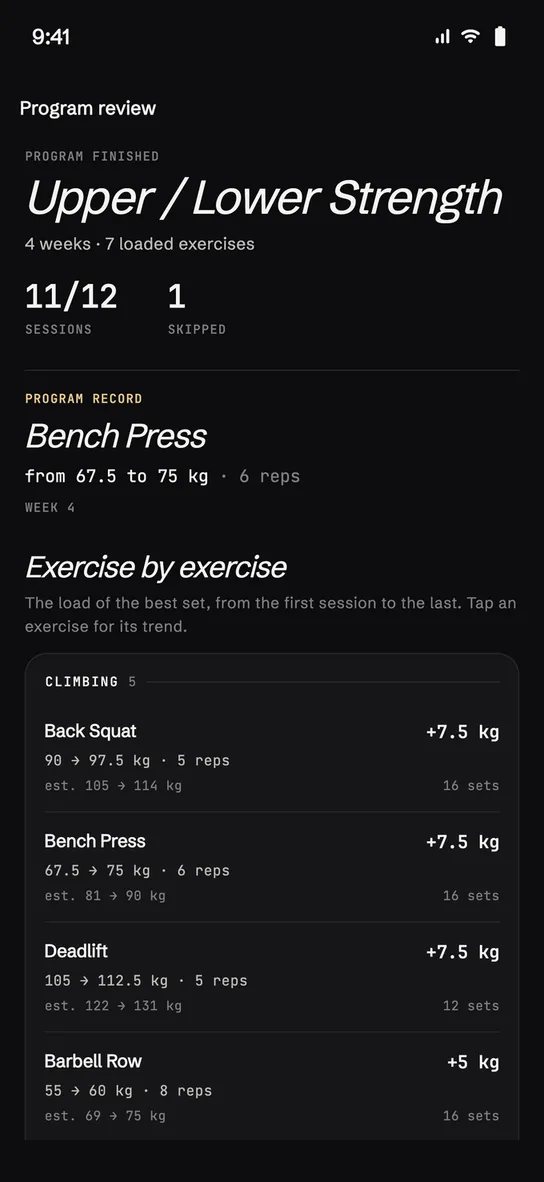
Program review
questions
What people ask
-
Do I need a subscription?
No, and for now there’s nothing to buy. The free plan keeps two active plans at a time (the archive has no limit) and reads history over the last twelve weeks. Sessions, logging, records and the block review have no limits. One AI generation is included.
-
How does it adapt, exactly?
On two timescales. Inside the block: as soon as you log a session, the loads of the following ones are recalculated. At the end of a block: regeneration reads up to twelve weeks of history and builds the new program on what you actually lifted.
-
Do I have to use the AI?
No. You can create a plan by hand without filling in any profile, or log sessions with no plan at all. The questionnaire shows up only if you take the generation route.
-
Does it work offline?
For training, yes: data is read from the local cache and writes go out when the connection comes back. AI generation, that one needs a network.
-
Which devices does it run on?
iPhone from iOS 15 onwards and Android from 6.0 onwards. There is no web version and none for smartwatches.
-
What languages is the app in?
Italian, English, French, Spanish and German.
-
What data do you collect?
Usage statistics stay off until you turn them on: the app asks you once, with an explicit question. Crash reports, on the other hand, start out active — they are how anyone finds out the app broke for someone — and you can switch them off whenever you like in settings. The content of your plans and the data concerning your health are not collected for statistics, do not go to advertising and are not sold to anyone.
-
Are the plans medical advice?
No. They are general guidance, not medical advice. Stop if you feel pain and consult a professional — and if your screening answers suggest it, the app tells you first.
-
Can I delete my account and data?
Yes, from inside the app, without coming through here and without having to write to anyone.
-
Why is it called element47?
Because 47 is the atomic number of silver. The app’s two themes are called Silver and Mercury: the same family of greys, at two temperatures.
available now
Now on the App Store Coming soon to Google Play.
Download element47 on iPhone. The Android version is coming soon.
iOS 15+ · Android 6+